
Let’s start with a hard truth: your inbox is not a to-do list. It’s not a filing cabinet. And it’s definitely not your friend. Your inbox is a thief. It steals your time, hijacks your focus, and drains your mental energy with a constant stream of other people’s priorities masquerading as your own.
The endless cycle of notifications, the decision fatigue of what to open, what to archive, and what to action—it’s the single biggest productivity drain in modern business. We’ve been told the answer is “inbox zero,” an impossible, anxiety-inducing myth. But the real goal isn’t an empty inbox; it’s a clear mind.
TLDR: I used Google’s Gemini to help me build a custom “cleanup assistant” with Google Scripts that finally tamed my chaotic Gmail inbox. This post shares the story behind the system. If you want the complete, step-by-step guide—including the exact prompts—to build it yourself, download the free PDF.
The Real Cost of a Cluttered Inbox (It’s More Than Just Time)
The problem is far bigger than just the time spent reading and writing emails. The real cost comes from “context switching”—the mental toll of being pulled away from deep, focused work to deal with a random notification. It can take over 20 minutes to fully regain focus after just one interruption. When you multiply that by the dozens of times email breaks your concentration each day, you’re not just losing minutes; you’re losing entire hours of effective, high-value work.
This isn’t a personal failing; it’s a critical business operations problem. A chaotic inbox is a symptom of a broken information workflow, and it’s costing you focus, momentum, and money.
Introducing “The Inbox Rescue Plan”: A System for Clarity
After years of fighting my own inbox, I developed a system to fix the problem at its source. It’s called the “Inbox Rescue Plan,” and it’s not just a collection of tips—it’s a strategic shift in how you handle the flow of information.
The core philosophy is simple: treat your inbox like an airport arrivals hall, where an intelligent system directs everything to its proper destination automatically, leaving you to deal with only the true priorities.
The Three Pillars of the Plan: Your AI-Powered Gatekeeper
This system is built on three pillars, using modern AI tools to automate the low-value work that currently consumes your day.
Pillar 1: The AI Triage Bot
Before you ever see an email, an AI gatekeeper should have already sorted it. Tools like SaneBox, or even the powerful AI-assisted rules in Gmail and Outlook, can be trained to understand your priorities. They automatically filter emails into smart folders like “Action Required,” “Important Newsletter,” or “Read Later,” separating the signal from the noise.
Pillar 2: The AI Summarizer
You don’t need to read every 15-reply thread to understand what’s happening. AI tools built into platforms like Superhuman or available as browser extensions can provide instant summaries of long conversations. They extract the key points, decisions, and action items, allowing you to get the gist in 10 seconds instead of reading for 10 minutes.
Pillar 3: The AI Draft-Bot
How much of your day is spent writing slight variations of the same email? Generative AI is the perfect assistant for this. You can use it to create templates and draft common replies in your own voice, such as “Thanks, I’ve received this and will review,” or “Let me check with my team and get back to you.”
My AI Co-Developer: How I Built the System
The “AI Triage Bot” is the cornerstone of this system, but how do you build it without being a developer? This is where the “builder’s mindset” comes to life. I used Google’s Gemini model as my personal co-developer.
First, I acted as the strategist. I wrote a simple, plain-English brief describing my ideal inbox: “If an email is from a client, label it ‘Urgent.’ If it’s a newsletter I subscribe to, move it to a ‘Reading’ folder and skip the inbox. If it contains an invoice, tag it ‘Finance’.”
Next, I fed this brief to Gemini and used it as an architect to brainstorm and refine the logic. We went back and forth to map out all the rules and conditions.
Finally, I prompted Gemini to act as my coder. I used a prompt like: “Now, write a Google App Script that executes these rules every hour within my Gmail account.” The AI generated the foundational code, and we then worked together to test, debug, and refine it until it worked perfectly. I provided the vision; the AI provided the technical execution.
And the best part is, you don’t need any prior experience to make this work. Even though I had never worked in Google App Script before, the way this prompt is structured guides the AI to write the exact code you need. It essentially turns Gemini into your personal “inbox cleanup assistant,” building the technical solution based on your plain-English instructions.
The Result: From Inbox Anxiety to a 5-Minute Briefing
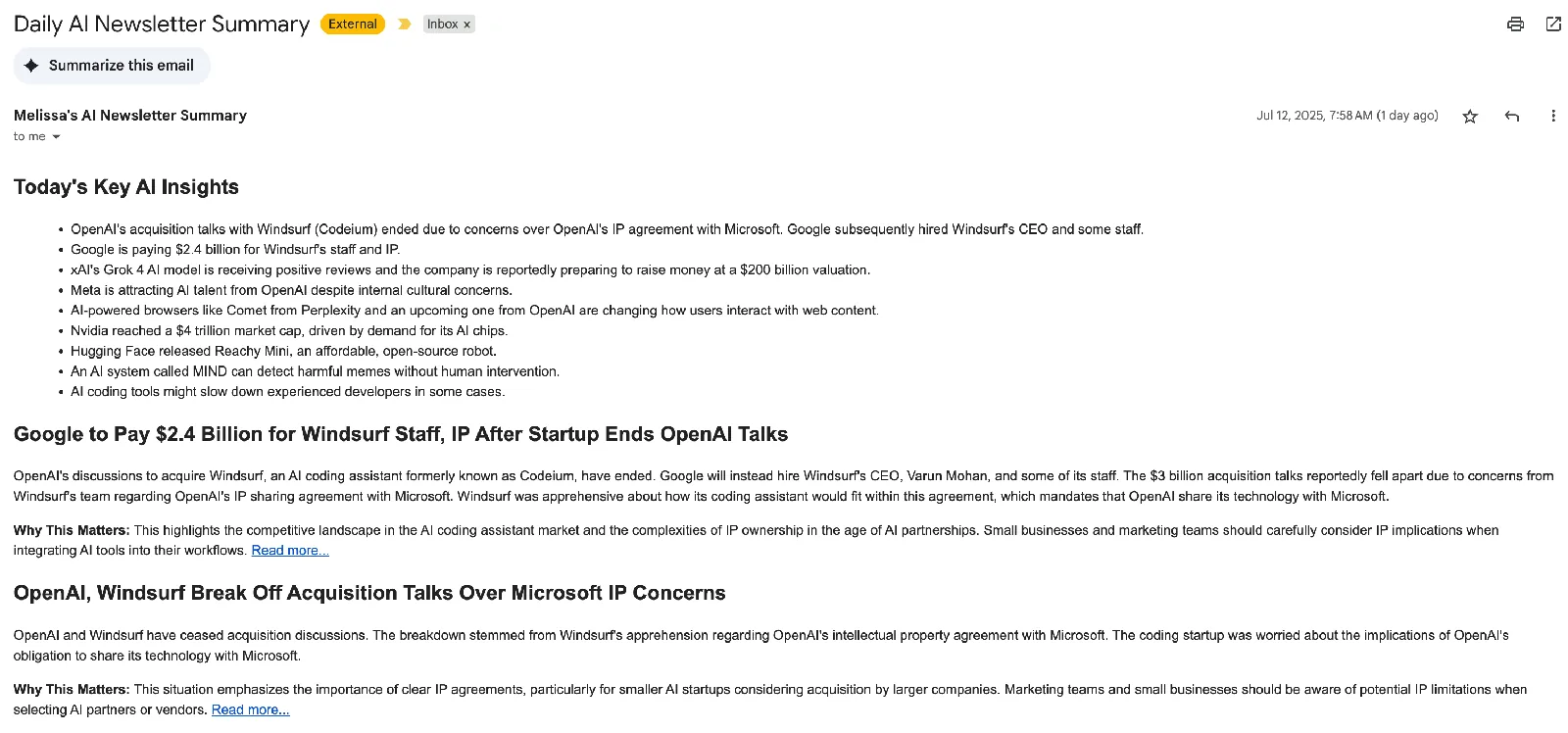
Before implementing this plan, my mornings were a source of anxiety. I was spending at least 60 minutes a day just trying to clear the noise—sifting through dozens of repetitive newsletters to find the few important articles. My “real” client and team emails were getting buried in the chaos, and the thought of skipping a day and facing the unread message backlog was overwhelming.
Now, that anxiety is gone.
The “Inbox Rescue Plan” works automatically in the background. My primary inbox only contains the “real” messages that need my attention. Separately, I receive a single “AI Executive Briefing” with just the summaries of the newsletters that matter.
A process that took over an hour of stressful work is now a calm, focused 5-minute review. It’s not just about the time saved; it’s about the mental clarity and the massive reduction in daily stress.
This Isn’t an Email Strategy—It’s a Business Operations Strategy
Fixing your inbox feels great, but the “Inbox Rescue Plan” isn’t really about email. It’s a case study in applying a core operations principle: intelligently managing an input/output system.
The same “Triage, Summarize, Draft” methodology can be applied to other chaotic business “inboxes,” such as incoming sales leads in your CRM or customer support tickets. The goal is to apply a system, not just a hack.
Your inbox is the most visible symptom, but where else in your business is a broken workflow costing you time and focus?
If you want to apply this strategic thinking to solve those bigger challenges, let’s talk. You can download the complete, step-by-step “Inbox Rescue Plan” PDF.